





Why a Dedicated Laser Cutter Elevates Cake Topper Crafting
Laser cutters bring pinpoint control that traditional hand-cutting just can’t match.
- Delicate scripts, filigree flourishes, and layered silhouettes look crisp because the laser follows vector paths down to fractions of a millimeter.
- That level of detail is what turns a standard cake topper into a polished centerpiece.
- Beyond the finesse, a good machine handles materials that give toppers structure and shine—acrylic for glossy finishes, thin hardwood for a rustic touch, cardstock for colorful tiers, even coated edible sheets for full-custom monograms.
When you’re producing small batches or one-off commission pieces, that repeatability becomes a lifesaver; once you dial in the settings, each run matches the last without wasting material.
A laser cutter keeps a tidy workspace too, with clean edges and less sanding, letting bakers focus on flavor while the machine recreates design layers in minutes.
Key Specifications to Evaluate Before Buying
For cake toppers, power output in the 5–30W range hits the sweet spot.
- Lower-watt diode lasers make clean cuts in thin acrylic and cardstock while delivering enough engraving finesse on wood veneer.
- Higher-powered air-cooled units dive through thicker materials faster but might overcut delicate shapes.
The bed size is equally important:
- A 16×12-inch workspace lets you lay out multiple toppers per run without crowding the table.
Resolution matters for tiny serif fonts—look for machines rated at 0.01mm step size or better.
Firmware that accepts standard SVG, DXF, or PDF files keeps your workflow smooth, especially if you’re translating Illustrator or Inkscape layouts.
Food-friendly operation means considering:
- Enclosed chambers,
- Air assist for consistent cutting, and
- A foolproof ventilation plan to keep fumes out of your kitchen studio.
These specs together define whether the laser is a precision tool or just another gadget.
Materials and Finishes for Stunning Cake Toppers
The best toppers mix material variety with sharp finishing. Common picks include:
- Polished acrylic (3–5mm),
- Thin hardwood veneer (1–3mm),
- Metallic cardstock,
- Mirrored sheets for extra glam.
Each material has a sweet spot:
- Acrylic needs a slower speed to avoid melting edges, while vellum cardstock prefers lower power to keep the paper from burning.
- Before cutting, mask surfaces with blue painter’s tape or transfer film to protect glossy finishes; after the run, peel slowly to reveal edge clarity.
- Sanded hardwood edges might benefit from light oil or sealant, while acrylic can be buffed with plastic polish for that glassy look.
Always check adhesives or inks for food safety, and clean toppers with mild soap if they touch frosting. Keeping a raw material log helps track which settings work best; pairing those notes with sample swatches saves time when fulfilling the next custom request.
Choosing the Ideal Laser Cutter for Cake Topper Workflows
Matching your cutter to workflow needs keeps your setup efficient.
- Hobbyists usually prioritize compact footprints, easy software, and budget-friendly gear, while professional bakers need reliable motion systems, repeatable cutting speeds, and responsive customer support.
Think beyond the machine:
- Great workflows include design creation (sketch, vectorize, trim), test cuts on scrap material, finishing touches like layering glue, and tidy storage for completed toppers.
- Good software compatibility—especially with SVGs from Affinity Designer or Cricut files—means less conversion hassle.
Entry-level machines can run $300–$700 and handle cardstock or thin acrylic; mid-tier units ($1,000–$2,500) bring air assist and better precision, while investment-level systems support thicker materials and faster throughput.
Remember to balance price with support, workspace height, and upgrade options so your cutter grows with your business.
Creality Falcon Best-Fit Pick
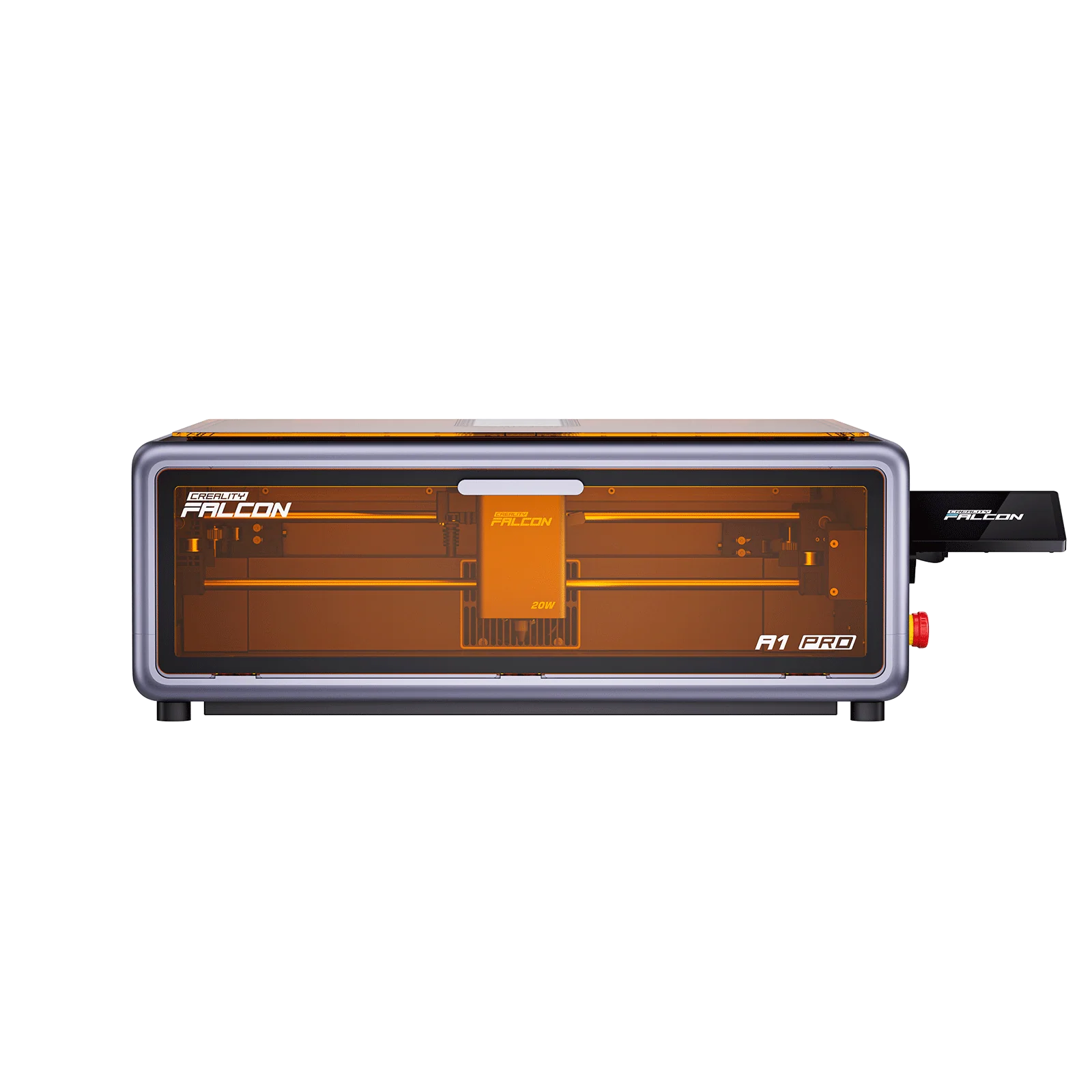
The Creality Falcon 20W Laser Engraving Machine hits the balance of power, workspace, and ease that cake-topper creators crave.
- Its 20W diode laser delivers the fine resolution needed for curved letters and filigree while still powering through acrylic, leather, and cardstock without scorching.
- The Falcon’s bed is roomy enough to nest multiple topper shapes, making small-batch runs faster without crowding a home kitchen.
- Its software interface and stable rail system cut down on trial-and-error, so you spend more time assembling toppers instead of wrestling the machine.
- Safety-wise, the protective viewport, enclosed frame, and air-assist compatibility all help keep dust and fumes away from edible areas.
Before committing, review the full spec sheet to confirm it fits your tabletop space and creative needs.
Workflow Tips: From Design File to Finished Topper
A predictable workflow keeps custom orders moving.
- Start with a concept sketch and translate it into vector format—SVG, DXF, or even a high-res PDF works—then clean up nodes so the laser follows smooth paths.
- Always run a test cut on scrap material to confirm power and speed before hitting the final sheet.
- Keep a running log of settings per material and thickness so adjustments feel intuitive next time.
When the run finishes:
- Remove masks carefully, then add finishing touches like color fills, layered backing pieces, or adhesive pads for stability on cakes.
- Color matching and photography-ready proofs help clients visualize the final piece, especially useful for personalized builds.
- A storage binder of completed designs, settings, and client notes keeps repeat commissions easy to recreate.
Maintenance and Safety for Culinary-Friendly Laser Work
Routine upkeep keeps both quality and safety high.
- Clean lenses and mirrors weekly if you run the machine daily; dust and smoke debris build up fast, eroding precision.
- Check belt tension and motion rails so the Falcon—or any cutter—doesn’t drift between slices.
- Keep a replacement kit handy: lenses, nozzles for the air assist, and masking paper help avoid downtime.
Ventilation is critical; route fumes outdoors or through a dedicated air scrubber to avoid contaminating kitchen air.
- Always monitor runs—never leave a laser unattended around food prep.
- Fire safety gear, like a nearby extinguisher and a smoke detector, is common sense in a workshop environment.
- Keep surfaces clean, and don’t use cutters in the same airspace where you bake without separating the work zones.
Scaling Your Cake Topper Offering with Laser Precision
As demand increases, a laser cutter lets you scale thoughtfully.
- Batch multiple toppers in one setup by nesting designs on the workspace and letting the machine run while you prep frosting or packaging.
- Store your approved designs, exporter settings, and preferred material swatches so the next order starts nearly instantly.
- Share material samples with clients—it reduces surprises and helps them choose finishes like mirrored acrylic or rustic wood.
Offering mixed-material sets or adding laser-cut signage beside toppers gives customers more upgrade options.
- Keep your communication transparent with preview proofs and turnaround windows, especially when juggling custom fonts or heirloom requests.
- A well-documented process keeps both quality and customer trust high.
Budgeting and ROI Considerations for Bakers
Investing in a laser cutter is about balancing upfront costs with longer-term value.
- Bringing topper production in-house saves on outsourcing fees and lets you offer faster turnarounds and unique materials.
- Start-up spend includes the machine, ventilation/extraction, raw materials, and consumables like masking film.
Track metrics like:
- Time saved per order,
- Increased price per topper,
- Overall customer satisfaction to measure ROI.
Also account for updates, maintenance, and occasional training time.
- As your portfolio grows, explore new revenue streams: custom wedding toppers, themed party sets, even laser-etched gift tags or signage.
- With the right budgeting and tracking, a laser cutter becomes a profit center that pays for itself through enhanced creativity and faster delivery.
READ ALSO: Monster Energy BO7: Boost Your Gaming Performance Beyond Limits