





The time is Thursday, 11:47 PM. One of the most important applications has crashed. I am calling you. As a team, you’re now able to see the virtual infrastructure in all its glory, which spans hundreds of virtual machines, dozens of hosts, and a web of dependencies that, let’s be honest, has never been thoroughly documented. A misconfigured network link, a three-tiered storage bottleneck, or even a virtual machine that silently slipped out of compliance two weeks ago might all be the underlying reason, adding even more stress to the situation. This is the scenario that vRealize Infrastructure Navigator was built to prevent — and in the hands of a prepared team, it’s also the tool that ends that nightmare call faster than anything else in the stack.
What Is vRealize Infrastructure Navigator?
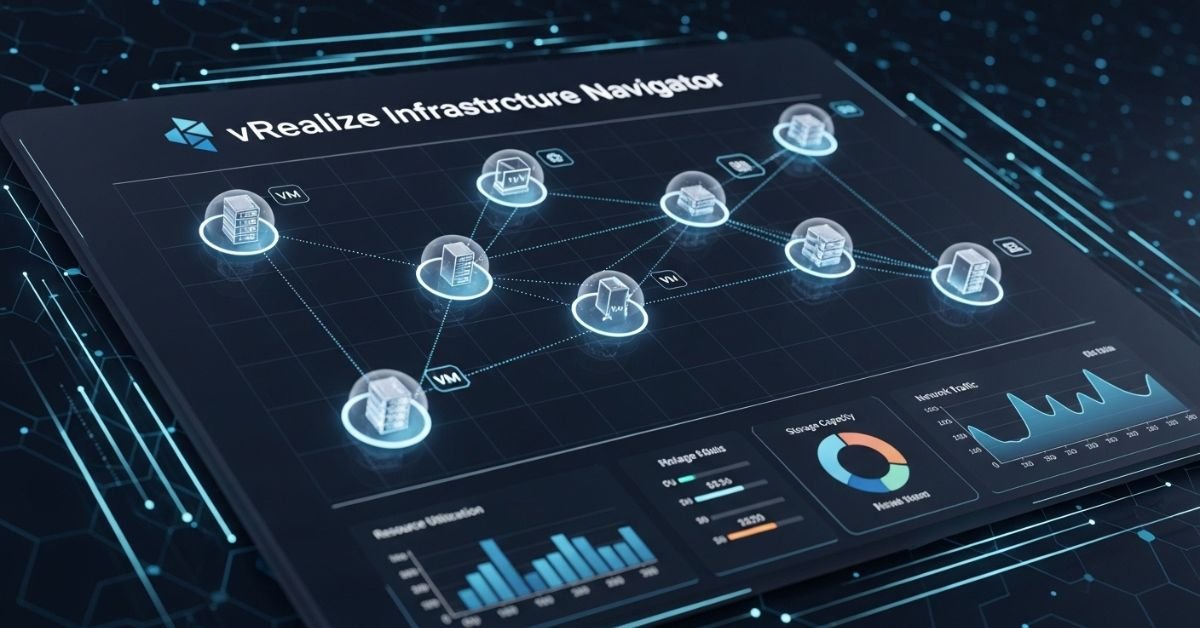
vRealize Infrastructure Navigator is a VMware tool designed to automatically discover, map, and visualise the relationships between components in a virtualised environment. The program compiles data on storage systems, virtual machines, physical hosts, applications operating on top of all of that, and the relationships between all of that in a way that the individuals in charge of maintaining everything running can understand.
Visibility is the main selling point. True contextual visibility, as opposed to the superficial sort that only indicates that a virtual machine is running, reveals all of the resources that depend on, are connected to, and affected by that VM, as well as the ripple effect that a change or failure in one area will have on the surrounding environment. The difference between proactive management and perpetual firefighting is that level of awareness for IT teams managing complicated vSphere deployments.
How vRealize Infrastructure Navigator Builds Its Dependency Map
The intelligence behind the tool lies in its discovery engine. Rather than relying on manual documentation — which is always outdated the moment it’s written — vRealize Infrastructure Navigator actively interrogates the environment. It compares the current state of affairs to the optimal state as depicted in the wall diagram using a mix of VMware APIs, guest introspection, and network traffic analysis.
Application-Aware Discovery
The program can detect apps and their parts without installing agents on each computer, which is one of its most remarkable features. Automatically grouping comparable components into logical application containers, it recognizes typical workloads like as databases, web servers, and middleware layers. This eliminates the need to manually traverse the infrastructure in search of component parts in the event of a three-tier application failure. The tool reveals what it already knows.
Real-Time Relationship Mapping
If the surrounding conditions change, the relationship maps will also alter. The map adapts when you spin up additional virtual machines, change network settings, or transfer workloads to other hosts. Unlike static CMDB records, which only record a single instance and then lie to you for 18 months, this one is always changing.
The Practical Impact of vRealize Infrastructure Navigator on Troubleshooting
Inquire with any seasoned infrastructure engineer about the most taxing task they’ve had to perform, and the topic of troubleshooting in undocumented environments is sure to come up. Time and morale are slowly but surely drained by the interminable tasks of manually mapping dependencies, running trace routes, reviewing change logs, and consulting with coworkers who may recall configurations from six months ago.
vRealize Infrastructure Navigator compresses that process significantly. When an alert fires, engineers can open the relevant component in the visualisation layer and immediately see what’s upstream and downstream. Before making any modifications, they may determine the blast radius of a possible failure and find common dependencies, such as a storage array supporting numerous key workloads. Even in that setting, competent engineers are still required, but the blind spots that hinder their work are eliminated.
Change Management Made Safer with vRealize Infrastructure Navigator
One of the most prevalent and preventable causes of downtime in business systems is outages caused by changes. The age-old problem: an engineer changes a seemingly innocuous setting in the network configuration, failing to notice that three production workloads rely on the altered path in an unstated way. After the modification is implemented, an outage occurs, and the post-mortem analysis shows the results that would have been displayed by the dependency map in less than 30 seconds.
With vRealize Infrastructure Navigator integrated into the change management workflow, that gap closes considerably. In order to determine the impact of a change before it is accepted and implemented, teams might conduct environmental queries. By bringing to light hidden connections that would otherwise go unnoticed in a regular change request form, the visualization has helped avert innumerable instances that would have otherwise gone unrecorded in the aftermath.
Where vRealize Infrastructure Navigator Fits in the Broader VMware Ecosystem
This tool isn’t meant to be used alone. Working in tandem with vRealize Log Insight, it correlates log events with the infrastructure architecture, and it feeds contextual relationship data into vRealize Operations for smarter alerts. It is part of the larger vRealize suite. Jumping straight into the infrastructure map to identify what’s related to the impacted component is a workflow accelerator that experienced users rapidly deem vital when looking at a performance anomaly in vRealize Operations.
Businesses with a broader vRealize platform investment will find that the navigator layer provides the necessary connective tissue to maximize the use of each component. When put into perspective, monitoring data becomes much easier to understand. The correlation between log analysis and both physical and virtual topologies becomes more apparent. Understanding the real dependent relationships between workloads, as opposed to making assumptions, makes capacity planning more reliable.
Who Gets the Most Out of vRealize Infrastructure Navigator?
Any group in charge of a sizable VMware infrastructure can, in all candor, answer this question. However, the advantage is more noticeable in some jobs than others. It is a daily tool for infrastructure engineers in the event of an issue and for planning changes. In order to keep up with a dynamic environment without having to repeatedly perform manual discovery cycles, operations teams depend on it. In order to detect lateral movement or misconfigured services before they cause problems, security teams use the visibility into network traffic to find unexpected communication channels across workloads.
Because it can provide precise and current documentation of the environment, the tool is also useful for IT architects and managers. The sort of documentation that is truly helpful for planning migrations, capacity expansions, or disaster recovery exercises; not the static kind that was created after deployment but never revised; instead, a real-time record of what is actually operating and how it links.
The Real Value of vRealize Infrastructure Navigator: Confidence in Complexity
As workloads increase, teams grow, and change happens at a faster rate, the complexity of modern virtual environments only increases. The most powerful teams aren’t always the ones who do a good job of managing these situations. They understand the situation best because of this.
vRealize Infrastructure Navigator doesn’t remove complexity — nothing does. It simplifies complicated situations. Engineers are able to move forward with certainty instead of uncertainty, solve problems with evidence rather than speculation, and plan modifications with a whole picture instead of partial ones, all thanks to contextual awareness. That change from confusion to clarity is more valuable than nearly any other tool in the shed for the teams overseeing the infrastructure upon which everything else is dependent.
Also Read County Integrated Development Plan